
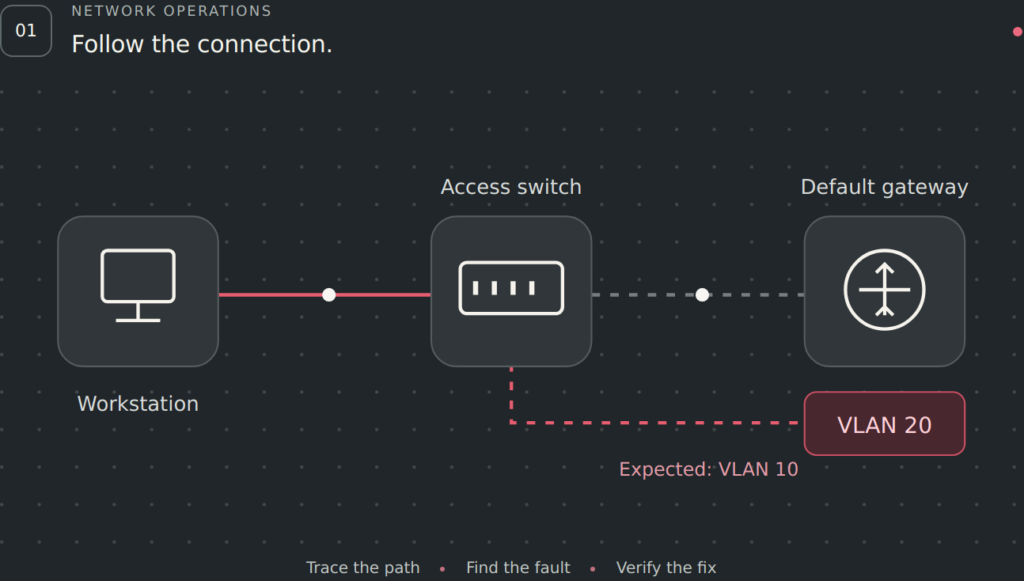
Prepare for CompTIA Network+ N10-009 by connecting network concepts to practical decisions. This free study hub includes exam domains, a study plan, six original practice questions, two worked performance-based question (PBQ) examples and a quick subnetting reference.
Start with the task you need to practise. Read the evidence, write your answer, then reveal the explanation. Every sample and worked answer is publicly readable without an account. These are original Trifectapp learning activities, not actual CompTIA exam questions or a complete practice exam.
CompTIA Network+ N10-009 exam details
| Detail | N10-009 |
|---|---|
| Exam version | Network+ V9 |
| Maximum questions | 90 |
| Question formats | Multiple-choice and performance-based |
| Time allowed | 90 minutes |
| Passing score | 720 on a scale of 100–900 |
The exam facts come from the official CompTIA Network+ page and N10-009 objectives, document version 6.0. Confirm the exam code and current booking information with CompTIA before scheduling. The objectives recommend 9–12 months of IT networking experience; that recommendation helps you judge the amount of practical preparation you may need.
Keep practice results in context. A percentage on a sample quiz does not convert directly to CompTIA’s scaled score. Use unfamiliar questions, practical tasks and your explanation of the result to find gaps. Six sample questions cannot establish readiness across the full exam.
Use the five Network+ domains as your study map
| Official domain | Weight | Original study task to try |
|---|---|---|
| 1. Networking Concepts | 23% | Explain the path from a client to a service and allocate a subnet that fits its host requirements. |
| 2. Network Implementation | 20% | Choose a forwarding path, trace a VLAN across a trunk and justify a wired or wireless setting. |
| 3. Network Operations | 19% | Read monitoring evidence, update a diagram and document an approved change with a verification plan. |
| 4. Network Security | 14% | Translate a traffic requirement into a restricted access policy and test allowed and denied flows. |
| 5. Network Troubleshooting | 24% | Separate a physical fault from an addressing, VLAN or service fault using targeted tests. |
The weights are CompTIA’s blueprint proportions, not a guaranteed question count for a particular exam. The practice tasks in the third column are our suggestions. Use the complete official objectives PDF to check the topics within every domain, including areas not represented by the samples below.
Build a Network+ study plan around evidence
Choose the number and length of your sessions from your available time. Repeat this sequence for each gap instead of assigning the same study duration to every learner.
- Record your starting point. Mark each objective as new, explainable or demonstrable. Try unfamiliar questions before reading the answer and identify the assumptions you made.
- Draw the path. Sketch the endpoints, VLANs, gateways and services involved. State what should happen before you decide what has failed.
- Learn one missing concept. Study its explanation, then describe it in your own words. Distinguish a subnet boundary from a VLAN boundary, or a DNS failure from a missing route.
- Apply it in a permitted environment. Use a simulator or an isolated lab. Record the original state, the authorized change and how you would reverse it. Do not experiment on a working network without approval.
- Verify and explain. Test the required service from the affected client. Check that unrelated permitted traffic still works and that restricted traffic remains restricted.
- Revisit and add timed practice. Change the addresses, constraints or symptoms. Review correct guesses as well as wrong answers, and revisit weak domains before scheduling an exam.
| Evidence of a gap | Next task | What to explain afterward |
|---|---|---|
| I counted all IPv4 addresses as usable host addresses. | Complete PBQ 1 and compare network, host and broadcast addresses. | Why the chosen prefix fits and how each subnet boundary is calculated. |
| I changed a client setting before tracing its VLAN. | Complete PBQ 2 using the supplied switch and gateway evidence. | Which observation identifies the failed part of the path and how to verify recovery. |
Six original Network+ N10-009 practice questions
Choose an answer before opening the explanation. These questions sample selected skills across the five domains. They are a starting point for review, not a full-length mock exam.
Networking Concepts · IPv4 subnetting
1. Choose a subnet for 50 clients and a gateway
A conventional IPv4 LAN needs addresses for 50 client devices and one router interface. Choose the smallest subnet that supports these 51 host addresses. Network and broadcast addresses cannot be assigned to hosts. Which prefix fits?
- /27, providing 30 usable host addresses
- /26, providing 62 usable host addresses
- /28, providing 14 usable host addresses
- /25, providing 126 usable host addresses
Show answer and explanation
Answer: B. A /26 leaves six host bits: 26 = 64 total addresses. Subtracting the network and broadcast addresses leaves 62 conventional host addresses, enough for 51. A /27 or /28 is too small; a /25 works but uses a larger block than required. The gateway consumes one of the usable addresses. Additional growth or infrastructure requirements could justify a larger allocation, but they are not part of this stated task.
Network Implementation · Route selection
2. Find the most specific matching route
A router has three active, usable routes: 10.20.0.0/16 via Router A, 10.20.30.0/24 via Router B and 0.0.0.0/0 via Router C. Which next hop matches destination 10.20.30.25 using longest-prefix matching?
- Router A, because the /16 covers more destinations
- Router C, because every packet matches the default route
- All three routers, because each listed prefix matches
- Router B, because /24 is the most specific matching prefix
Show answer and explanation
Answer: D. All three prefixes contain the destination, but /24 matches more address bits than /16 or /0. The router therefore uses the installed /24 route through Router B. A default route is used when no more specific route matches. The question states that these routes are already active and usable; it is not asking how a routing protocol selected among competing routes to the same prefix. Equal-cost forwarding does not mean using every route that happens to contain the address.
Network Operations · Monitoring evidence
3. Identify which conversations consume bandwidth
A WAN link shows high utilization during backups. The operations team wants to identify the source and destination conversations responsible, without inspecting application payloads. Which available evidence best answers that question?
- Flow records that include endpoints and byte counts
- A routing table that lists selected network prefixes
- An ARP table that maps local IPv4 addresses to MAC addresses
- A rack diagram that shows device locations and power feeds
Show answer and explanation
Answer: A. Flow records can associate traffic volumes with endpoints and other conversation metadata. They help identify which transfers coincide with the utilization increase without requiring payload inspection. A routing table explains forwarding choices, while an ARP table helps identify local address mappings. A rack diagram documents physical placement. Correlate the flow timestamps with utilization and the backup schedule before concluding that a particular transfer is the cause of a service problem.
Network Security · Segmentation
4. Enforce the guest-network requirement
Guest devices are on a separate subnet. They must reach the internet and their approved DHCP/DNS services, but must not initiate connections to staff systems. Which change directly enforces this traffic requirement at the routed boundary?
- Hide the guest SSID while retaining the existing routing policy
- Shorten guest DHCP leases while retaining access to staff subnets
- Apply guest-zone firewall rules that permit required services and internet access while denying staff destinations
- Use a different wireless channel while retaining the existing routing policy
Show answer and explanation
Answer: C. A traffic policy at the routed boundary can control which destinations guest devices may reach. Place any required service exceptions deliberately and account for return traffic according to the firewall’s behavior. A separate subnet or SSID alone does not establish an access restriction if routing permits the traffic. Hiding an SSID, changing a channel or shortening a lease does not enforce the stated policy. Verify both permitted internet/service traffic and denied guest-to-staff traffic after the approved change.
Network Troubleshooting · Physical interfaces
5. Investigate errors after replacing a patch cable
A workstation link remains up, but packet loss began after its copper patch cable was replaced. The switch port’s CRC error counter increases during traffic. Which next action most directly tests the suspected part of the path?
- Change the client’s DNS resolver and compare name lookup times
- Inspect and test the cable path, substitute a known-good patch cable if permitted, and compare error counters
- Extend the DHCP lease duration and wait for the next renewal
- Change the default route metric and compare remote path selection
Show answer and explanation
Answer: B. The timing and increasing frame-error counter justify investigating the physical path first. Inspect the connectors and cable, use appropriate test equipment, and compare counters and packet loss after a controlled substitution. CRC errors do not prove that the patch cable is the only possible cause; other physical components or interference may require investigation. DNS settings, DHCP lease duration and route metrics do not repair damaged frames on this local link. Document the result and confirm the user’s service works after the change.
Network Operations and Troubleshooting · DNS
6. Separate name resolution from basic connectivity
A client has a valid address and gateway. A known internal service responds when tested by IP, but its hostname fails to resolve. Other clients resolve the same hostname successfully. Which focused test should come next?
- Replace the access switch before comparing client settings
- Change the client subnet mask before collecting more evidence
- Disable the interface and leave it disconnected for a lease period
- Query the hostname using the client’s configured resolver and compare that result with an approved working resolver
Show answer and explanation
Answer: D. A direct DNS query helps isolate the failure in the client’s name-resolution path. Compare the configured resolver, the returned answer or timeout, and an approved working resolver. Successful access by IP narrows the problem but does not prove that every protocol or destination is reachable. Replacing a switch or changing the mask before collecting DNS evidence is not justified by these observations. After correcting the confirmed cause, test the service by hostname from the affected client.
Two worked Network+ PBQ examples
These original tabletop exercises require several connected decisions. Write your solution first, then reveal the worked answer. They practise networking skills without reproducing the interface or content of a live certification exam.
PBQ 1 · Networking Concepts
Allocate three non-overlapping IPv4 LANs
Scenario: an isolated practice branch has 192.168.40.0/24 available. Allocate the networks below in descending size order, using the lowest available correctly aligned block for each one. Use the first usable address in each subnet as its gateway. The requirements already include every endpoint except the gateway; no extra growth allowance is requested.
| LAN | Endpoints | Gateway addresses | Total host addresses needed |
|---|---|---|---|
| Staff | 50 | 1 | 51 |
| Voice | 25 | 1 | 26 |
| Printers | 12 | 1 | 13 |
- Choose the smallest suitable prefix and subnet mask for each LAN.
- Record its network address, gateway, usable host range and broadcast address.
- Verify that the blocks do not overlap and identify the remaining unallocated address range.
Show the worked solution
| LAN | Network and mask | Gateway | Usable host range | Broadcast |
|---|---|---|---|---|
| Staff | 192.168.40.0/26 255.255.255.192 | 192.168.40.1 | 192.168.40.1–62 | 192.168.40.63 |
| Voice | 192.168.40.64/27 255.255.255.224 | 192.168.40.65 | 192.168.40.65–94 | 192.168.40.95 |
| Printers | 192.168.40.96/28 255.255.255.240 | 192.168.40.97 | 192.168.40.97–110 | 192.168.40.111 |
Why these fit: /26 provides 62 usable addresses, /27 provides 30 and /28 provides 14. Each gateway uses one address in the stated host range, leaving enough for that LAN’s endpoints. The block sizes are 64, 32 and 16; the network addresses start on the corresponding boundaries.
Verification: the allocated blocks end at .63, .95 and .111, with the next block starting immediately afterward. They do not overlap. Addresses 192.168.40.112–192.168.40.255 remain unallocated; that range is not a single CIDR block. Record the allocations before configuring any DHCP pools, reservations or static addresses, and exclude gateway addresses from dynamic assignment.
PBQ 2 · Network Implementation and Troubleshooting
Restore the missing VLAN across a switch uplink
Scenario: after replacing access switch B, a staff workstation on that switch cannot obtain a DHCP lease. You are authorized to restore the documented VLAN path while preserving the other working VLANs. Review these collected observations.
| Component | Observed state |
|---|---|
| Staff network | VLAN 30, subnet 10.30.0.0/24, gateway 10.30.0.1 |
| Workstation on switch B | Link up; access port assigned to VLAN 30; automatic private address 169.254.20.8; no default gateway |
| Switches A and B | VLAN 30 exists on both. The A–B trunk is up and forwarding for its allowed VLANs, but its permitted list is 10, 20 and 40. |
| Gateway on switch A | VLAN 30 interface is up at 10.30.0.1. Its DHCP relay points to the approved DHCP server. |
| Known-working clients | Staff devices connected to switch A receive valid VLAN 30 leases. Existing VLAN 10, 20 and 40 traffic between the switches works. |
| Controlled connectivity test | An approved temporary, unused VLAN 30 static address on the affected client still cannot reach the gateway. The client is then returned to DHCP. |
- Identify the failure supported by the evidence.
- Specify the smallest configuration change, including what must be preserved.
- List checks that prove address assignment and the required service have recovered.
Show the worked solution
1. Supported diagnosis: VLAN 30 is missing from the trunk’s permitted list. The local access-port assignment is correct, and VLAN 30 exists on both switches. The successful clients on switch A and the failed temporary static-address test point to the path between switch B and the gateway rather than a general DHCP-server outage.
2. Targeted change: add VLAN 30 to the permitted VLAN list on the relevant trunk configuration at both ends, as required by the platform, while retaining VLANs 10, 20 and 40. Confirm the documented trunk and VLAN configuration before applying the approved change. Do not replace the entire allowed list with only VLAN 30 or move the staff port into a guest VLAN.
3. Verification: confirm VLAN 30 is allowed and forwarding across the link, renew the client’s DHCP lease and verify a 10.30.0.0/24 address with gateway 10.30.0.1 and the approved DNS settings. Test the required service from the client, including its hostname. Recheck traffic on VLANs 10, 20 and 40, then document the change and outcome. A successful gateway ping alone does not establish that every required application works.
Quick IPv4 subnetting reference
Use this table for conventional IPv4 LAN subnets that reserve a network address and a broadcast address. The usable-host calculation is 2host bits − 2. The gateway and other infrastructure interfaces each consume a usable address. /31 point-to-point and /32 host-route cases require different treatment and are outside this table.
| Prefix | Mask | Total addresses | Usable host addresses |
|---|---|---|---|
| /24 | 255.255.255.0 | 256 | 254 |
| /25 | 255.255.255.128 | 128 | 126 |
| /26 | 255.255.255.192 | 64 | 62 |
| /27 | 255.255.255.224 | 32 | 30 |
| /28 | 255.255.255.240 | 16 | 14 |
| /29 | 255.255.255.248 | 8 | 6 |
For prefixes /24 through /29 in this table, the block size is 256 − the final mask octet. For example, /27 blocks begin at .0, .32, .64, .96 and so on within a /24. A host count is only the first check: also verify alignment, non-overlap and the larger address block available to you.
Continue with the matching Network+ course
Use these public examples to identify the skill you need to practise next. The Trifectapp Network+ N10-009 training overview explains the available study guides, practice exams, PBQs and simulated labs. The Network+ N10-009 complete course shows the learning path and its published activities.
The examples on this page are free. Full course access follows Trifectapp’s enrollment terms, and certification exam vouchers are separate. If endpoint and operating-system foundations need more work, visit the A+ Core 1 and Core 2 study hub. If you are still choosing a certification, use our A+, Network+ and Security+ comparison or browse all certification resources.
Common questions about Network+ practice
What should N10-009 practice cover?
Use the full objectives as your checklist across all five domains. These samples cover selected addressing, routing, monitoring, access-control, physical-link and DNS skills. Add the other objectives, including wireless, cloud concepts and operational topics, rather than treating a small sample as complete coverage.
How do practice questions and PBQs help differently?
A multiple-choice question asks you to choose the best answer from alternatives. Our worked PBQ examples ask you to combine evidence and requirements into several connected decisions. Explain and verify the result in both formats.
Are these questions from the real Network+ exam?
No. Trifectapp created these scenarios and explanations as independent learning material. They are not recalled exam items, and they do not predict the content or scoring of your exam.
How much subnetting practice do I need?
Continue until you can derive the mask, network, host range and broadcast address for unfamiliar examples and justify an allocation against its requirements. Change the addresses and host counts from PBQ 1 to check whether you understand the method.
Should I study the largest domains first?
Use the weights to understand the blueprint, then allocate time according to your actual gaps. A strong result in one domain should not hide weak understanding in another. Every domain belongs in your preparation.
Official references and review date
References checked 9 November 2026. The exam facts and domain weights above were checked against:
- CompTIA Network+ certification page — exam version, code, format, time and scaled passing score.
- CompTIA Network+ N10-009 V9 exam objectives, document version 6.0 (PDF) — domain weights, objective coverage and recommended experience.
The study sequence, questions, scenarios, subnetting calculations and worked answers are Trifectapp’s original editorial material. Domain labels identify the skills being practised. Consult CompTIA’s current information for exam availability and candidate policies.